
Guides → Law & compliance
How to dispose of old business computers legally in the UK
Throwing a business laptop in a skip is not a shortcut. It is potentially three separate breaches at once: waste law, environmental permitting and data protection. This guide sets out what the rules actually require, in the order you will encounter them.
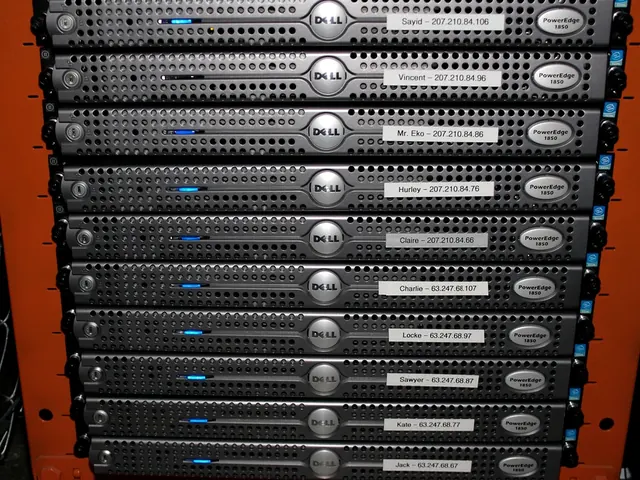
Business IT is not household waste
The distinction that catches people out is that waste from a business is classified as commercial waste, and it is regulated differently from the same object thrown away at home. A laptop your IT manager retires is commercial waste. So is the one your employee used at their kitchen table. The rules below apply to charities, schools, GP practices and one-person limited companies exactly as they apply to large corporates. There is no small-business exemption.
Electrical items fall under the Waste Electrical and Electronic Equipment Regulations, usually shortened to WEEE. Computers, monitors, servers, network hardware, phones, printers and the cables that connect them are all in scope.
Your duty of care
Section 34 of the Environmental Protection Act 1990 places a duty of care on anyone who produces commercial waste. In practice it means three things.
- Store it safely so it cannot escape, leak or be scavenged before it is collected.
- Transfer it only to an authorised person. That means a carrier registered with the Environment Agency, or the equivalent regulator in Scotland, Wales or Northern Ireland.
- Document the transfer and keep the record.
The second point is the one that carries the sting. The duty does not end when the van pulls away. If your equipment is later fly-tipped, the trail leads back to you, and "a man with a van said he would deal with it" is not a defence. You are expected to have checked that the carrier was registered — and checking takes about thirty seconds.
Check a waste carrier in under a minute
Ask for the carrier's registration number, then look it up on the Environment Agency's free public register at environment.data.gov.uk/public-register. You are checking that the registration exists, that it is in the company's name, that it is current, and whether it is upper tier — upper tier is required for carriers who deal in waste commercially rather than only moving their own.
Save a screenshot with the date. That screenshot is your evidence that you exercised the duty of care at the time of transfer.
The waste transfer note
Every transfer of commercial waste requires a written record, traditionally called a waste transfer note. It must identify the waste, say how much there is, name both parties, give the carrier's registration details, state where the waste is going and carry the date. Both sides sign it.
You must keep your copy for two years. If the Environment Agency asks and you cannot produce it, the failure to hold the paperwork is itself the offence, separately from whatever happened to the equipment.
A competent disposal company will issue this without being asked, usually alongside an itemised asset register. If a collection is offered with no paperwork at all, that tells you what you need to know about the rest of the operation.
Where GDPR comes in
Waste law governs the object. Data protection law governs what is stored on it, and the two are assessed independently. A disposal can be flawless environmentally and still be a reportable data breach.
Under UK GDPR you remain the data controller for personal data on those drives right up to the moment it is destroyed. Article 32 requires appropriate security measures, and a retired drive sitting in an unlocked cupboard for eight months is difficult to defend as appropriate. Two practical consequences follow:
- Your disposal supplier is a data processor. That means you need a written contract with them containing the Article 28 clauses — purpose, duration, confidentiality, sub-processors, deletion and audit rights. A quote emailed over is not sufficient.
- You need evidence of destruction, not assurances. A certificate listing the serial number of each drive, the method applied and the date is what closes the loop. Without serial numbers you cannot demonstrate that a specific drive was destroyed, which is precisely the question an auditor asks.
The Information Commissioner's Office has taken enforcement action over improperly disposed media on multiple occasions, and the pattern is consistent: the organisation could not show what happened to a particular device.
Do not wipe drives yourself and assume it is done
Deleting files does not remove them. Nor does emptying the recycle bin, nor a quick format, nor resetting Windows — all of these remove pointers while the underlying data stays on the platters or in the flash cells until it happens to be overwritten. Recovery tools that undo all three are free and take minutes to use.
Effective sanitisation means either a verified overwrite of every addressable sector, degaussing for magnetic media, or physical destruction for solid state media. We cover the differences in degaussing, shredding or wiping.
Equipment that still works
Reuse sits above recycling in the waste hierarchy, and the law expects you to consider it first. There is nothing wrong with donating or reselling working equipment, and it is usually the better environmental outcome — but the data obligation travels with the device. Sanitise to a recognised standard, record what you did, and get written confirmation of the handover. Donating a laptop to a local charity with the previous user's documents still on it is a personal data breach regardless of how good the intention was.
A workable checklist
- Inventory what you are disposing of, capturing serial numbers before anything leaves the building.
- Store retired equipment securely and dispose of it promptly rather than letting it accumulate.
- Verify your carrier on the public register and keep dated evidence of the check.
- Put a written processor agreement in place covering the data.
- Decide, per device, between reuse after sanitisation and destruction.
- Obtain and file the waste transfer note — keep for two years.
- Obtain and file the certificate of destruction with serial numbers — keep in line with your retention policy.
- Update your asset register so the devices are formally closed off.
The short version
Use a registered carrier, get the transfer note, get a certificate that names each drive individually, and keep all three where you can find them. Almost every disposal problem that ends in enforcement traces back to one of those four being missing.
Need this handled properly? We are an Environment Agency upper tier registered carrier (CBDU622766) and issue transfer notes and per-serial destruction certificates as standard.
Book a collection